Wedding planners
Song requests for wedding planners
A detail couples thank you for. Not one more task.
The wedding song request app that works from a QR code: during dinner guests request and vote from their phone, the DJ decides what plays, and you have nothing new to run on the wedding day.
TuParty
0
Like the ones you want to hear
- 1
 Mr. Brightside The Killers 48
 - 2
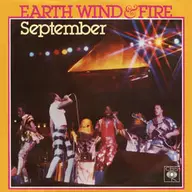 September Earth, Wind & Fire 47
 - 3
 Shut Up and Dance WALK THE MOON 45
 - 4
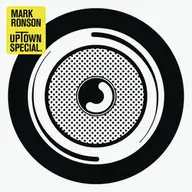 Uptown Funk Mark Ronson ft. Bruno Mars 44
 - 5
 Dancing Queen ABBA 41
 - 6
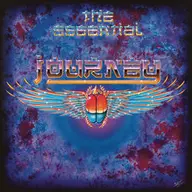 Don't Stop Believin' Journey 39
 - 7
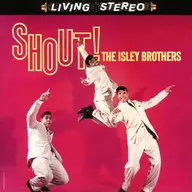 Shout The Isley Brothers 36
Built for weddings. Our numbers so far, from Spain and Latin America:
- weddings a year
- 1,000+ weddings a year
- songs requested
- 145,000+ songs requested
- QR code scans
- 100,000+ QR code scans
Is it one more thing to manage on the wedding day?
No. The DJ runs it. You just suggest it.
The last thing you need is another vendor to chase. TuParty is designed the other way around: one more detail at the reception that adds no work to your day.
-
A detail guests talk about
You put care into the stationery, the seating chart and the florals because guests remember them. Music fills the whole reception, and it is usually the one piece you hand over to a vendor with little say in how it goes.
-
Zero new tasks on the wedding day
No equipment to set up and no staff to train. It is a QR code printed on the table cards along with the rest of the stationery, and a web page the DJ runs from their phone.
-
Fits your timeline without moving it
It lives in dinner, the quiet stretch of your timeline. It does not compete with cocktail hour, the toasts or the first dance.
-
Easy for every guest
From the flower girl to the grandparents. Guests scan with the phone camera and request from the browser: no app to download, no sign-up, no password.
Where do song requests fit in the wedding timeline?
At dinner, and nowhere else. The QR code goes on the tables next to the menu or the table number. Between courses, guests scan it with their phone camera, request their songs and vote for the ones other guests have already requested.
Meanwhile the DJ watches the list ranked by votes and approves songs. By the time the dance floor opens, the set is built around what this particular wedding wants to hear, and the phones go back in the pocket.
It does not touch cocktail hour, it does not touch the toasts and it does not delay anything. It fills the stretch when people are seated, waiting for the next course. And the do-not-play list you already put together with the couple still rules: those songs are blocked, so guests never see them.
How do you get the DJ on board with guest song requests?
It is the conversation you will end up having, so here it is, ready to go. The objection is always the same: “I do not want guests picking my music.”
And so is the answer: they do not pick it. They request it. The DJ still decides.
The DJ approves or rejects every request from their phone and decides when each song plays; TuParty never plays or queues anything on its own. Songs the couple vetoed are blocked so guests cannot even see them. What the DJ gets is not an imposition: it is a list ranked by votes that tells them what will fill the dance floor with a crowd they met a few hours ago.
There is something in it for their business too. With the branded option, the screen guests use carries the DJ’s logo, colors and social links, so every wedding works as marketing for their next one. If you want to send them something to read, this is our page for wedding DJs .
Working with a multi-op company that sends a different team every weekend? It runs on a QR code per wedding, all included: here is how it works for DJ companies.
If you would rather see it before bringing it up, get in touch and we will set up a test room so you can both try it from your own phones. Plans are yearly and priced by events, and guests never pay: see pricing.
Tell us about the weddings you plan
We will show you how it fits your timeline, how to bring it up with the DJ and whether to include it in your proposal or simply recommend it.
Rather see it live? Book a demo .
Tell us about your weddings
Four questions and we will get back to you the same day.
Frequently asked questions
Will the DJ I work with feel they are losing control?
No, and it is the first thing to tell them. The DJ approves or rejects every song from their phone: the list is a suggestion ranked by votes, not an order. What they get is a clear picture of what will work before the dance floor opens.
Will guests be on their phones all night?
Quite the opposite, and that is why it is used at dinner. Guests request while seated, between courses, when their phone is already on the table. By the time the dance floor opens they have asked for their song and the phones go back in the pocket. It takes phones off the dance floor instead of putting them on it.
Who pays for it: me, the couple or the DJ?
Whatever suits the way you work. Some planners include it in their proposal as part of the package, others recommend it to the couple or the DJ and stay out of the booking. Both work, and guests never pay anything.
What if the couple books a DJ I have never worked with?
Not a problem. The DJ’s access is a link that can be sent the same day. They do not need to install anything or have used it before.
How does the QR code look on the tables?
We send you the QR code as a digital file, so it goes into your own stationery with your design and your fonts: on the table cards, the table numbers or a small sign. The code is fixed, so it can go to print along with everything else.
Does it work for small weddings?
Yes. There is no cap on guests or songs, so it works the same for an intimate wedding of fifty as for a reception of three hundred.
Can I see it before suggesting it to a couple?
Of course. Book a demo or leave us your details and we will set up a test room so you and the DJ can try it on your own phones.